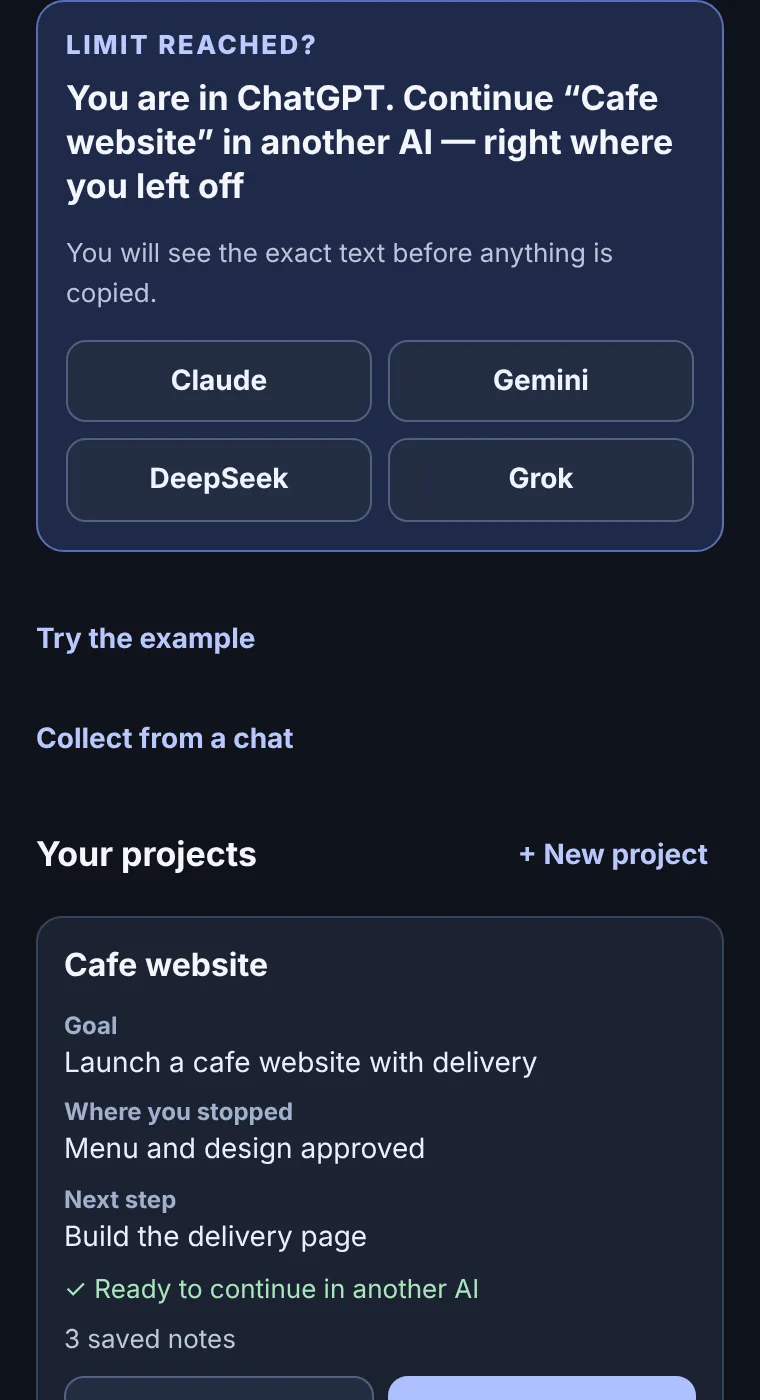
Hit the limit? Continue in another AI — right where you left off.
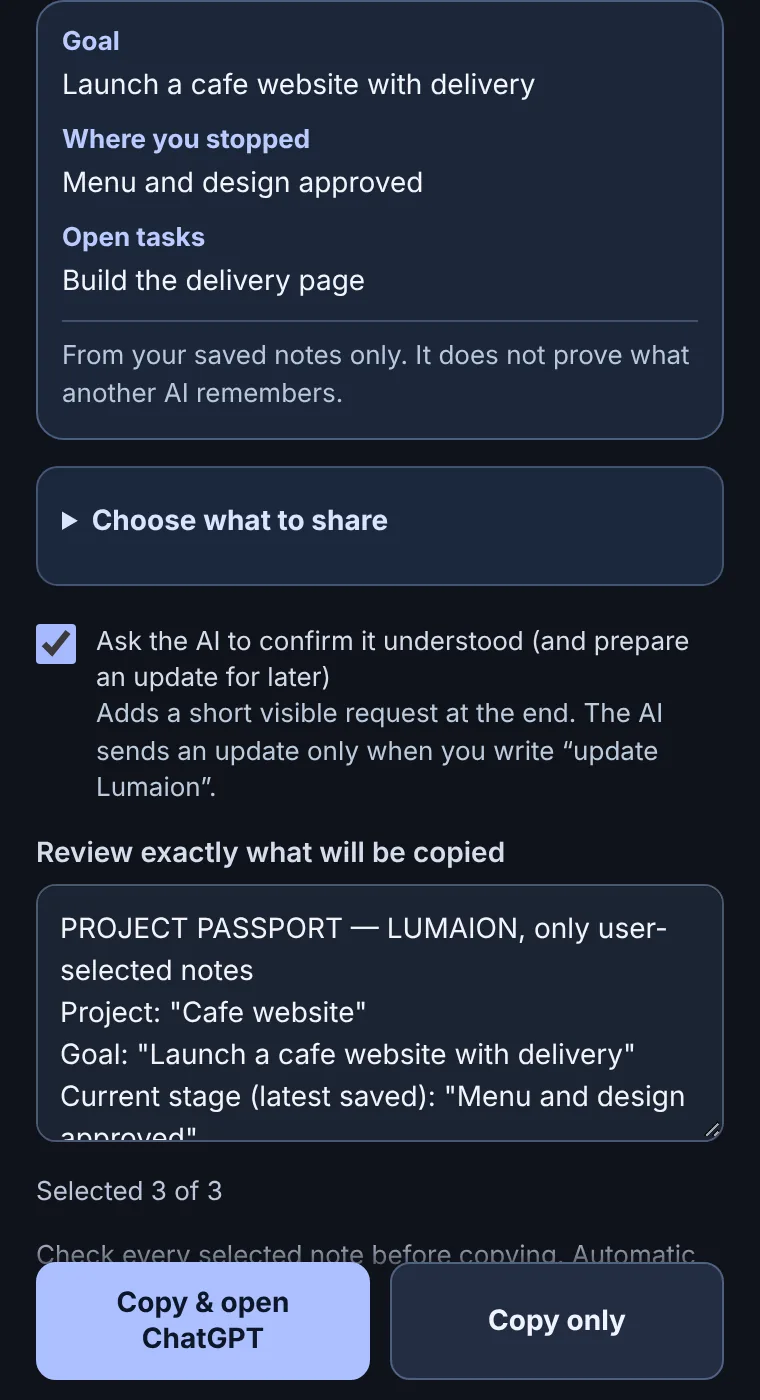
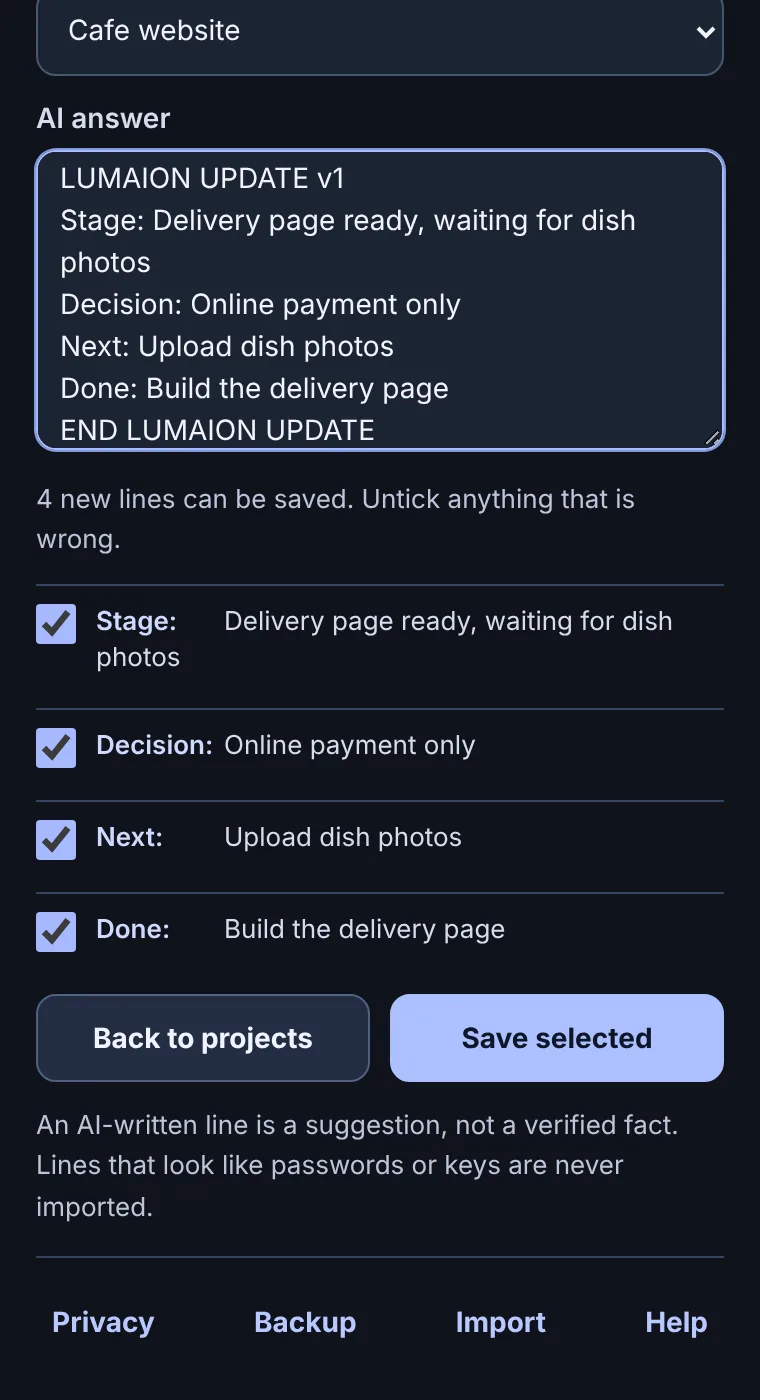
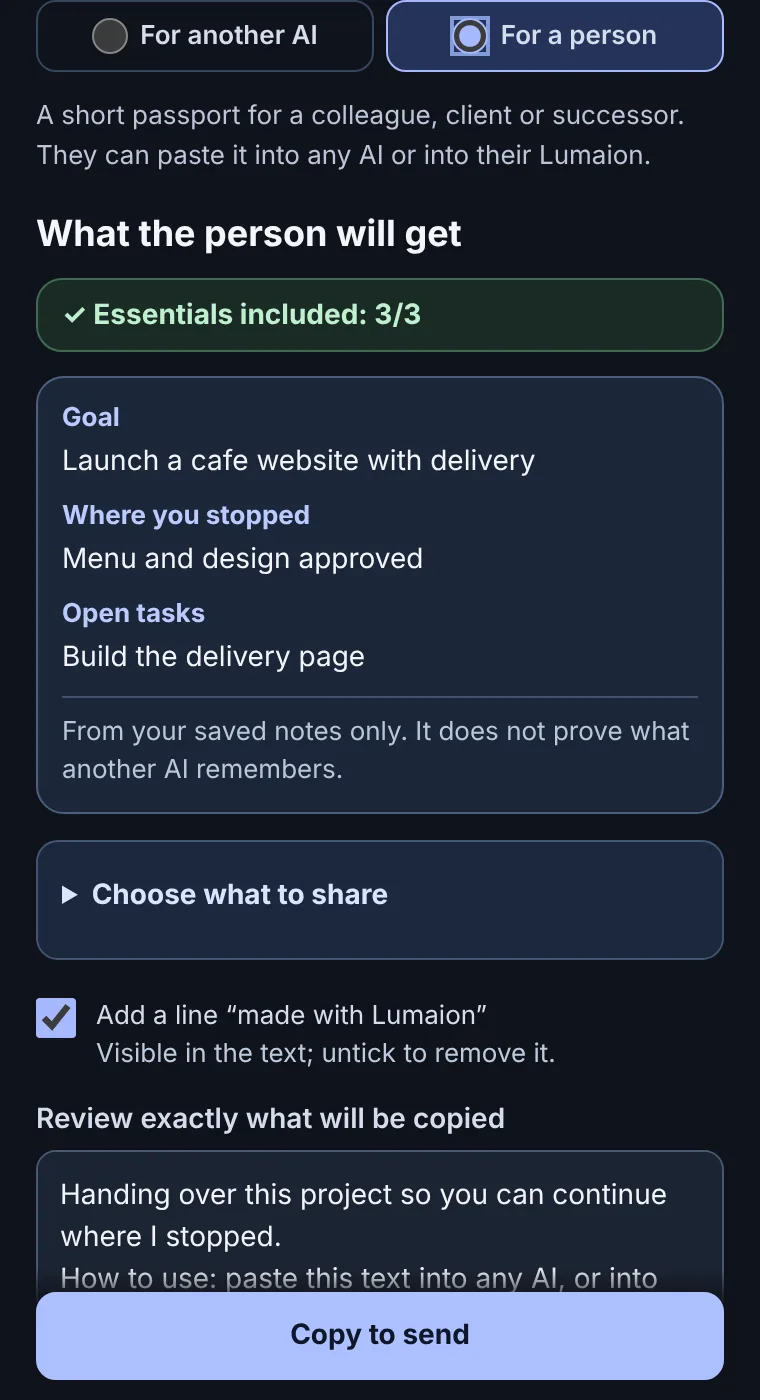
Lumaion keeps your project's goal, current stage, decisions and next step in your browser, and carries exactly what you choose to ChatGPT, Claude, Gemini, DeepSeek and 12 other AIs. You review every word. You paste it yourself.
How it works
Private by design
- Your notes stay in this Chrome profile. No account, no Lumaion server, no telemetry.
- It reads selected text only when you click, and never pastes, sends or logs in for you.
- Secret-looking lines (keys, tokens, passwords) are flagged and left out — a helpful check, not a guarantee. Always read the preview.
- Optional local encryption with your passphrase. A forgotten passphrase cannot be recovered.
- Five Chrome permissions, no access to your browsing history or to all websites. Details: extension privacy policy.
Works with
ChatGPT, Claude, Gemini, Grok, DeepSeek, Perplexity, Qwen, Kimi, Le Chat, Copilot, Alice AI, GigaChat, Poe, Meta AI, Z.ai and HuggingChat. Lumaion opens the site and copies your text; how each AI answers is up to that AI.
Status
Private beta. Lumaion for Chrome is not yet in the Chrome Web Store: we are testing with a small group first. Request access or use the free templates today, without installing anything. Already invited? Read the tester guide. Questions: support.
Коротко по-русски
Лимит кончился? Продолжите в другом ИИ — с того же места. Lumaion хранит цель проекта, этап, решения и следующий шаг в вашем браузере и переносит в ChatGPT, Claude, Gemini, DeepSeek, GigaChat, Алису и ещё 10 нейросетей только то, что вы выбрали. Вы видите каждое слово и вставляете текст сами. Прогресс можно вернуть обратно одним вставлением ответа ИИ, а проект — передать коллеге. Без аккаунта, сервера и слежки. Сейчас закрытая бета; бесплатные шаблоны работают уже сегодня.